iPhone 17 Pro mockup in 3D: free, right in your browser
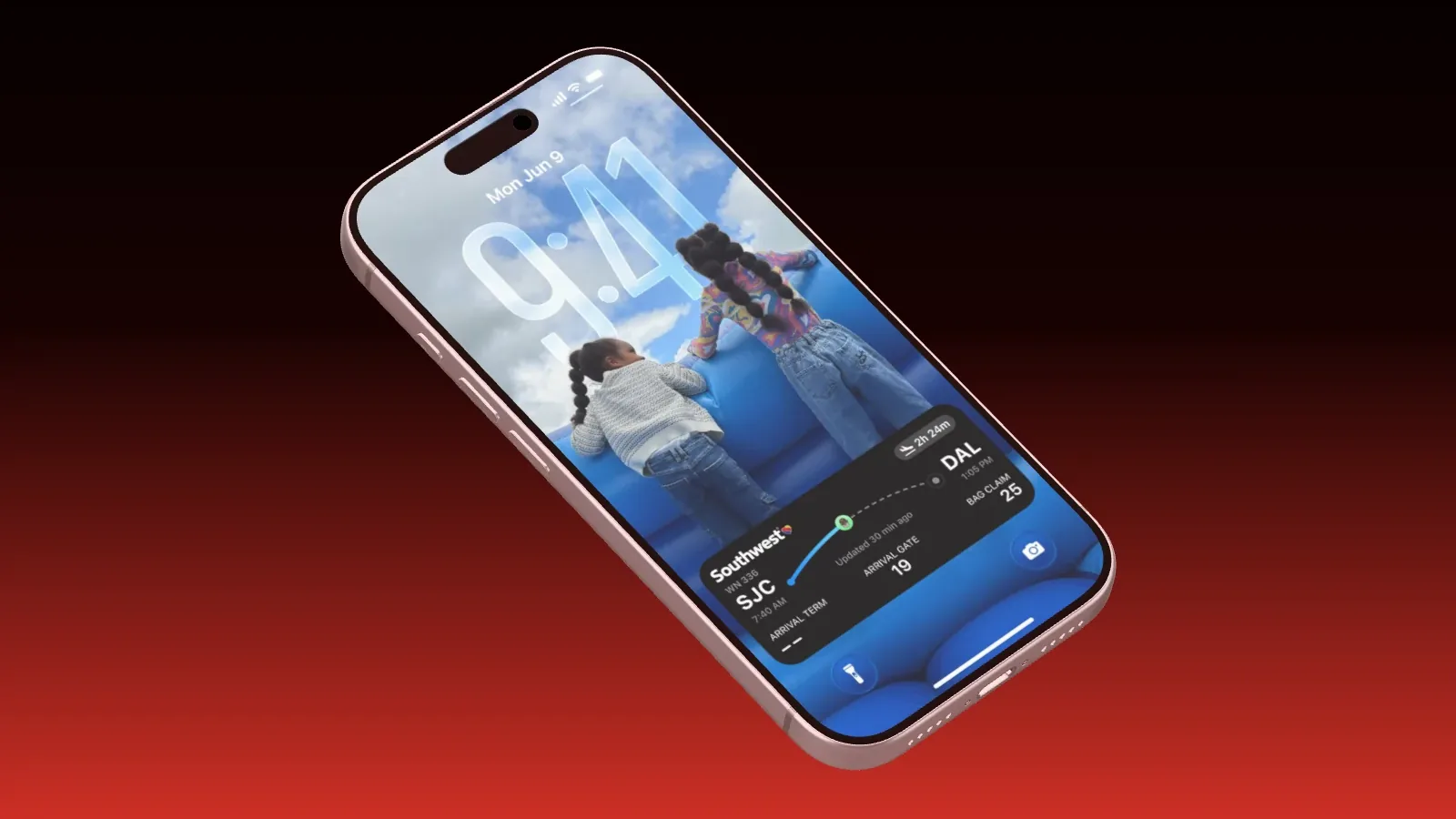
In Showoff you get the iPhone 17 Pro without a subscription, like every other device. It is a real 3D model you can turn freely, with light on its frame and glass and a soft shadow underneath. There is nothing to install, Showoff runs in your browser. This guide goes from an empty project to a finished image and shows what Free covers and what Pro adds.
What Free includes
- Unlimited exports in 720p, up to 1280 pixels on the longest edge.
- Plus 1 full-quality export a month, up to 4K.
- All 17 devices in every color and the clean status bar.
- Every template, auto motion, phone pairing and working as a team.
- No watermark, no credit card, and Free itself never expires.
Pro adds 15 full-quality exports a month, 60 fps, a transparent background, motion blur and depth of field, and AI via MCP. The details are on the pricing page.
1. Start from a template
The fastest way is a finished scene. Create an account, click “New project” in your projects and then “Choose a template”. With the iPhone 17 Pro there are these templates, among others.
- Float shows a floating iPhone at a relaxed tilt. The all-rounder for the App Store and social media.
- Three Quarter turns it so its edge shows. It looks like a product photo.
- Corner Macro goes right up to the top corner with the Dynamic Island.
- Mirror and Stagger show two and three devices.
- Orbit lets the camera circle the iPhone in a video.
2. Or start empty
To build it yourself, choose “Still” under “New project” for an image or “Video” for a video. The kind can’t be changed later. With “Add device” you put the iPhone 17 Pro on the stage. Every other device is right there too, on Free as well.
3. Add your screenshot
The display of the iPhone 17 Pro has 1206 × 2622 pixels. A screenshot at exactly this size fills it without any border. Showoff fits any other size, and you choose whether it fills the display or shows in full.
Just drag the screenshot into the editor window, and it lands in the project’s media library. Right-click the iPhone and choose “Choose screenshot” to put it on the display. Instead of a screenshot you can also pair your phone. Then its screen runs live on the device in the mockup.
4. Camera, light and background
In camera mode you turn the view freely around the device. The camera starts with a long lens, which gives the calm look of product photos. A slight turn shows that the device has depth. With a lot of text in the screenshot, stay close to the front view.
For the background you can pick a solid color, a gradient or an image of your own. Under “Light and shadow”, open “More” and move “Reflection color” toward the background, and the housing picks up the color of its surroundings along the edges. “Floor shadow” makes the device stand on something.
5. Export
The top right of the editor has “Export”. A still exports PNG or JPG, at single, double or four times the size. Up to 1280 pixels on the longest edge every export is free, and above that it is your full-quality export. The dialog names the pixels you get right at every step.
A film exports MP4 or WebM. You export at 24 or 30 frames per second, or at 60 with Pro. Motion blur and depth of field are part of Pro too. Your browser renders the video frame by frame, so it looks exactly like the preview.
The iPhone in motion
In a film the iPhone gets an entrance, a continuous motion and an exit. It flies in, floats gently and turns back out. With auto motion you draw rectangles around the parts of your app, and the camera travels to them one after the other.
In short
- The iPhone 17 Pro is part of Free, as a real 3D model in the browser.
- A screenshot at 1206 × 2622 pixels fits the display exactly.
- You export 720p without limits and without a watermark.
- 15 full-quality exports a month, transparency, motion blur and depth of field come with Pro.
Which template suits which job is in Which mockup template for which job. You can create an account for free.